deemesh
unified CNC interface
One interface that reads and writes through the same address on any supported CNC
On a shop floor, the same value sits behind different interfaces: FOCAS2 on one control, OPC-UA on another, EZSocket on a third. And a shared protocol is not the whole answer: where two controls both offer OPC-UA, their data models still differ, so the node holding an axis position on one is not the node on the other. Connecting a machine means learning its interface and its address space; the next one starts over.
deemesh puts one address layer on top. Whether the machine runs a Fanuc, Siemens or Mitsubishi Electric control, you read axis positions, alarms, programs and tool offsets through the same command structure, and write through that same structure wherever an address supports writing. One address means the same thing on any supported machine, and those differences are absorbed underneath.
This command structure is what deemesh calls its data model. The data model is made of an address and filters: the address decides what to read or write, and the filters decide which one.
Your application
Browser or your program
deemesh-sdk
Built into your application
deemesh-hub
Standalone server
Data model
address + filter
Fanuc
FOCAS2
Siemens
OPC-UA
Mitsubishi Electric
EZSocket
Find the address behind a value
Click a value on the operator panel and see which address it comes from. It reproduces a real HMI screen. Pick any value and the address and filter that fetch it appear as they are.
Find an address from the HMI screenReading the machine position of the X axis (axis=1) on channel 1
READ /machine/channel/axis/machinePosition?machine=1&channel=1&axis=1address
filter
Every address begins with /machine. The data model is rooted at a single machine, so the machine filter shown in yellow is what picks which machine at that root. deemesh-hub needs it because it handles several machines at once; deemesh-sdk does not.
The channel and axis segments in the middle of the path become filters of the same name. The address alone tells you which filters it takes.
Responses always use the same format
{"status":0,"value":123.456}The command grammar and the complete address list live in the package documentation and the address catalog. Open the address catalog
The SDK and the HUB
The same address scheme comes in two forms. To see it in five minutes without writing code, take deemesh-hub.
deemesh-sdk
Built into your application
A native library (.dll / .so) with its C header. It is a standard C ABI, so you call it with whatever your language already has: P/Invoke in C#, the standard-library ctypes in Python, extern "C" in Rust. There is no wrapper to install.
Use it when you need equipment communication inside your own application
deemesh-hub
Standalone HTTP server with an admin page
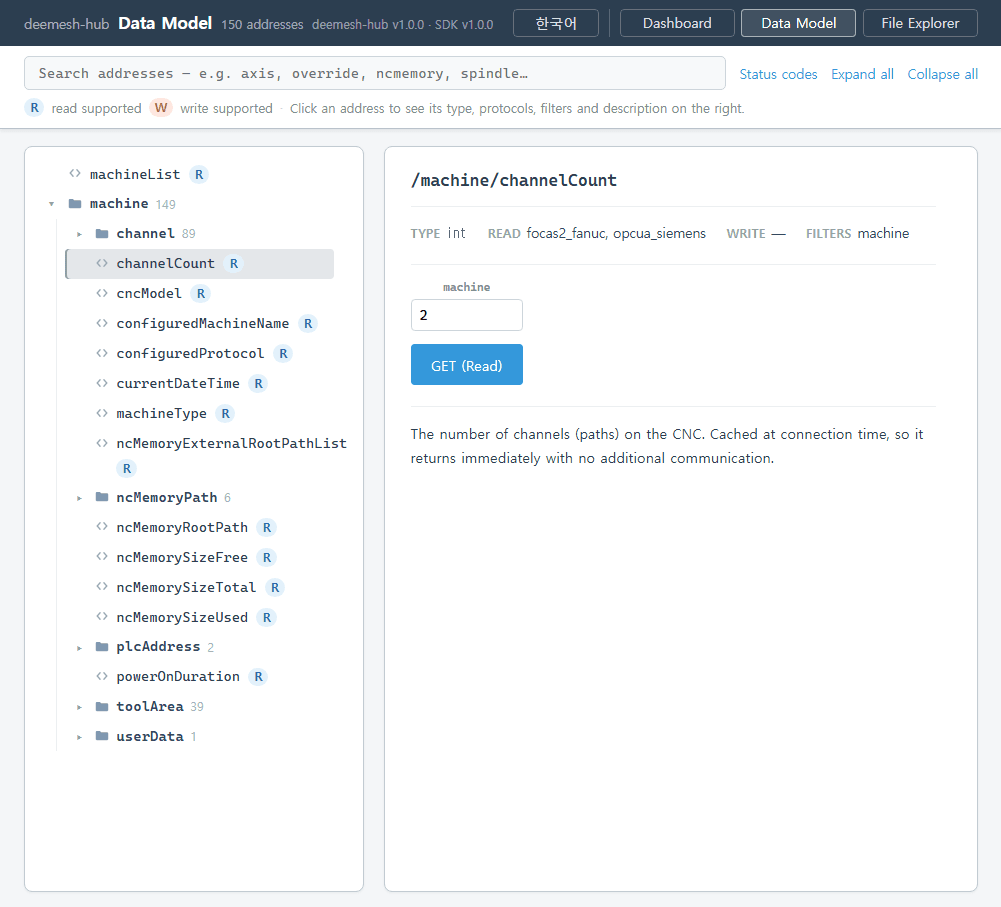
Put the machine address and protocol in config.json and run it. Open the admin page in a browser and every address the machine exposes appears as a tree; pick one and run a read (GET) or a write (POST) right there.
Use it when you want to work over HTTP without writing code, or to see it first
Supported protocols
| Identifier | Equipment |
|---|---|
| nc_focas2_fanuc | Fanuc CNC (FOCAS2: Windows and Linux, Ethernet only) |
| nc_opcua_siemens | Siemens SINUMERIK CNC (OPC-UA) |
| nc_ezsocket_mitsubishi | Mitsubishi Electric CNC (EZSocket: M800/M700 series, mill and lathe; Windows only) |
These three are supported today, and more protocols will follow.
Machine-side prerequisites
Check these before downloading. None of them is something deemesh can supply, and none is a deemesh setting. They live on the machine and with its vendor.
- Fanuc
- Fanuc's own FOCAS2 library is required: fwlib32.dll / fwlib64.dll on Windows, libfocas64.so on Linux. These files are covered by Fanuc's license and are not bundled with deemesh; obtain them separately from Fanuc.
- Siemens
- The machine needs the OPC-UA server option (SINUMERIK OPC-UA, a separately purchased option) licensed and enabled. Without the option the connection does not go through. Support has been tested on SINUMERIK 840D sl; testing on 828D is limited, and some addresses may not be available there.
- Mitsubishi Electric
- Mitsubishi Electric's EZSocket (model FCSB1224W000) must be installed on the Windows PC that runs deemesh. It is purchased and installed separately from Mitsubishi Electric and is not bundled with deemesh; the machine's control series goes in the system_type setting.
Download
deemesh is freeware. The SDK and the HUB are versioned independently, so take the latest release of whichever you need.
Open the GitHub releases